The Difference Between Hardware, Software, and Firmware
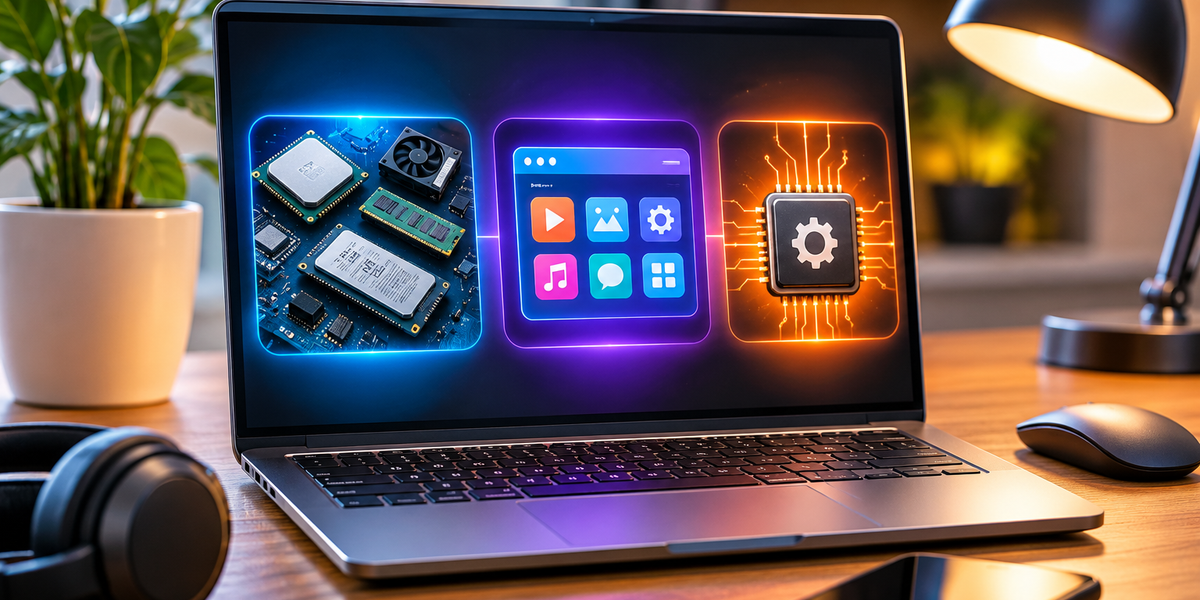
Your phone has a screen you can touch, apps you can open, and hidden instructions that help the device turn on and function properly. Your laptop has a keyboard, an operating system, and built-in code that helps its components communicate.
All three involve different parts of technology: hardware, software, and firmware.
The terms are often used interchangeably, but they describe very different things. The easiest way to understand them is this: hardware is the physical device, software tells the device what to do, and firmware helps the hardware itself operate.
Here’s what that actually means.
What Is Hardware?
Hardware is the physical part of a computer or electronic device. If you can physically touch it, there’s a good chance it’s hardware.
Your laptop’s keyboard is hardware. So are its screen, battery, processor, memory chips, speakers, camera, and hard drive or SSD.
The same applies to your phone. The touchscreen, cameras, microphones, buttons, processor, and battery are all hardware components.
Hardware can exist without useful software, but it won’t necessarily do much. A laptop with no operating system is still physically a laptop, but you won’t be able to use it the way you normally would.
Think of hardware as the body of a device. It provides the physical components needed to perform work, but something still has to tell those components what to do.
That’s where software comes in.
What Is Software?
Software is a collection of instructions that tells a computer what tasks to perform.
Unlike hardware, you can’t physically touch software.
Google Chrome is software. Microsoft Word is software. Instagram is software. Your phone’s calculator, camera app, games, and messaging apps are all software.
Operating systems such as Windows, macOS, Android, and iOS are also software.
When you tap an app icon, you’re essentially asking your device to run a particular set of instructions. Those instructions tell the hardware what needs to happen.
If you open your camera app, for example, the software communicates with your phone’s camera hardware. It tells the device to activate the camera, display the image on your screen, respond when you press the shutter button, and save the resulting photo.
Software makes hardware useful.
What Is Firmware?
Firmware is where things become slightly less obvious.
Firmware is specialized software that is closely tied to a particular piece of hardware. It provides low-level instructions that help the hardware start up, communicate, or perform its basic functions.
Your Wi-Fi router has firmware. Your smart TV has firmware. Your keyboard may have firmware. So can headphones, cameras, printers, game controllers, washing machines, cars, and countless other electronic devices.
Even components inside your computer can have their own firmware.
Firmware usually operates more quietly than the apps and programs you interact with every day. You might use a piece of firmware for years without ever seeing it directly.
It’s essentially the layer that helps hardware know how to be hardware.
The Simplest Way to Remember the Difference
Imagine a modern smart washing machine.
The hardware includes the drum, buttons, display, sensors, motor, and electronic components.
The software might include a companion smartphone app that lets you choose settings or receive a notification when your laundry is finished.
The firmware is the built-in code controlling how the machine’s electronics interact with its hardware, such as how sensors are read or how certain components are controlled.
Another useful analogy is the human body.
Hardware is the body itself. Software is like the tasks and instructions you’re consciously following. Firmware is closer to the built-in systems working underneath everything else to make basic functions possible.
The analogy isn’t technically perfect, but it makes the distinction easier to remember.
Hardware vs. Software
The clearest difference between hardware and software is physical existence.
Hardware is tangible. Software isn’t.
A computer’s processor is hardware, while the operating system running on that processor is software. Your phone’s screen is hardware, while the app displayed on it is software.
They depend heavily on each other.
Software needs hardware on which to run. Hardware usually needs software to become useful to the person using it.
If your laptop’s physical SSD fails, that’s a hardware problem. If an application keeps crashing because of a bug in its code, that’s usually a software problem.
Sometimes, however, the distinction isn’t immediately obvious to the user. A computer that won’t start could have a failed hardware component, corrupted software, or a firmware issue.
That’s why troubleshooting technology can become complicated.
Software vs. Firmware
Firmware is technically a type of software, which is why these two terms can be confusing.
The distinction is mostly about purpose and how closely the code is connected to the hardware.
Regular application software is designed to perform tasks for the user. You can install Spotify, remove it, replace it with another music app, and continue using your phone.
Firmware is generally much more closely connected to the operation of a particular device or component.
Removing a normal app might mean you can’t use that app anymore. Damaging or corrupting critical firmware could prevent the hardware itself from functioning correctly.
Another difference is visibility. People interact with software constantly. Firmware often operates in the background without requiring much direct interaction.
Can Firmware Be Updated?
Yes.
The name can make firmware sound permanently fixed inside a device, but modern firmware can often be updated.
You may have seen messages asking you to update your router, headphones, camera, television, or another smart device. Some of those updates are firmware updates.
Manufacturers release firmware updates to fix bugs, improve compatibility, patch security vulnerabilities, add features, or improve how hardware performs.
That’s one reason it’s important not to ignore firmware updates indefinitely, particularly for internet-connected devices.
Your router, for example, sits between your home network and the wider internet. Security fixes delivered through firmware updates can therefore be particularly important.
What Happens During a Firmware Update?
When you update firmware, the device replaces or modifies the low-level code stored on it.
Because firmware can be essential to the operation of the device, interrupting certain firmware updates can cause serious problems.
You’ve probably seen warnings such as:
Do not turn off the device during the update.
There’s a reason manufacturers take this seriously. If an important firmware update is interrupted at exactly the wrong moment, the device may be left without the instructions it needs to start or operate correctly.
In some cases, the device can be recovered. In others, fixing it can be much more difficult.
This is sometimes referred to as “bricking” a device because the device can become about as useful as a brick.
Where Is Firmware Stored?
Firmware is typically stored in non-volatile memory.
Non-volatile simply means the information remains there even when the device loses power.
If firmware disappeared every time you unplugged your television, router, or computer, the device wouldn’t be particularly useful.
Depending on the device, firmware may be stored in flash memory, ROM, EEPROM, or other forms of non-volatile storage.
Modern devices commonly use storage that allows manufacturers to update the firmware after the product has been sold.
What About Drivers?
Drivers add another layer that can make the terminology confusing.
A device driver is software that helps an operating system communicate with a particular piece of hardware.
Suppose you connect a printer to your laptop. Your operating system needs to know how to communicate with that specific type of printer. A driver helps translate between the operating system and the device.
Graphics cards, printers, audio devices, network adapters, and many other components use drivers.
So you can roughly think of the relationship like this:
Hardware is the physical component.
Firmware provides low-level control closely associated with that hardware.
Drivers help the operating system communicate with hardware.
Software applications use the operating system and hardware to perform tasks for you.
There are exceptions and overlaps, but this model is useful for understanding how the pieces fit together.
Where Does the Operating System Fit?
Your operating system is software, but it’s much more fundamental than an ordinary app.
Windows, macOS, Linux, Android, and iOS manage the computer’s resources and provide a platform on which other software can run.
When an application needs memory, storage, network access, audio, or graphics, it doesn’t normally control every physical component directly. The operating system helps coordinate those resources.
That creates several layers.
At the bottom, you have physical hardware.
Close to that hardware, firmware helps components operate.
The operating system manages the device and its resources.
Applications run on top of the operating system to perform tasks for the user.
You don’t normally notice these layers because modern devices hide most of that complexity.
A Smartphone Contains All Three
Your phone is a perfect example of hardware, software, and firmware working together.
The processor, battery, cameras, display, speakers, antennas, and sensors are hardware.
iOS or Android is software. So are WhatsApp, Instagram, Maps, your browser, and the other apps you install.
Meanwhile, different components inside the phone rely on firmware to perform lower-level operations.
When you take a picture, all of these layers work together.
You tap a button in the camera software. The operating system processes the request. Lower-level software and firmware communicate with the camera hardware. The sensor captures information. The phone processes that information and stores the resulting image.
To you, it simply feels like tapping a circle on the screen.
Why Does the Difference Matter?
You don’t need to know these definitions to use a computer, but understanding them can make technology much less confusing.
For example, imagine your printer isn’t working.
If a physical component is damaged, replacing software probably won’t solve the problem.
If the hardware is fine but your computer can’t communicate with the printer, you might have a driver or software issue.
If the manufacturer has identified a problem with how the printer itself operates, a firmware update might be required.
Understanding the different layers helps you understand what kind of problem you’re actually dealing with.
It also helps when you’re buying technology.
A device can have excellent hardware but poor software. Another product might use relatively ordinary hardware but feel fantastic because its software is well designed. And even good hardware and software can suffer if unreliable firmware causes connectivity or performance problems.
The quality of a technology product depends on how well all of these pieces work together.
Hardware Changes More Slowly Than Software
Another useful difference is how frequently each layer tends to change.
Replacing hardware usually means physically changing something. You might buy a new laptop, replace an SSD, upgrade your graphics card, or install more memory.
Software can change constantly.
Apps receive updates. Websites change. Operating systems get new versions. Developers can fix bugs or add features without physically touching your device.
Firmware sits somewhere between those worlds. It can often be updated, but those updates are usually less visible and are closely connected to the device’s hardware.
This is one of the reasons modern devices can improve after you’ve bought them. The physical hardware might stay exactly the same while software and firmware updates change what the device can do.
Hardware, Software, and Firmware Work Together
The three concepts make much more sense when you stop thinking of them as competing definitions and start thinking of them as layers.
Hardware provides the physical capability.
Firmware provides low-level instructions that help specific hardware operate.
Software uses those capabilities to perform useful tasks.
Take a pair of wireless headphones.
The speakers, microphones, battery, buttons, and wireless chips are hardware. Firmware inside the headphones manages important device behavior and communication. An app on your phone might let you adjust noise cancellation, change equalizer settings, or install new firmware.
Remove one layer and the experience changes dramatically.
That’s true of almost every modern electronic device.
The Difference in One Minute
If you only remember three things, remember these:
Hardware is what you can touch. It’s the physical technology: screens, processors, keyboards, cameras, batteries, cables, and chips.
Software is what tells computers what to do. It includes operating systems, apps, games, browsers, and other programs.
Firmware is specialized software closely tied to hardware. It provides lower-level instructions that help devices and components operate correctly.
They’re different, but they’re designed to work together.
The next time your phone installs an update, your router asks for a firmware upgrade, or someone tells you there’s a hardware problem with your laptop, you’ll know they’re talking about three different layers of the same technological system.
And once you understand those layers, a lot of technology suddenly becomes much easier to make sense of.