The Real Difference Between 4G, 5G, and Wi-Fi 6
You’re watching a video on your phone at home when you walk out the door. For a moment, nothing seems to change. The video keeps playing, your messages keep arriving, and the internet is still there. But behind the scenes, your phone may have quietly switched from your home Wi-Fi network to 5G or 4G.
We use these technologies constantly, yet the difference between them can be surprisingly confusing. 4G, 5G, and Wi-Fi 6 are often discussed as though they are competing versions of the same thing. They all provide wireless connectivity, but they were designed for different environments and solve different problems.
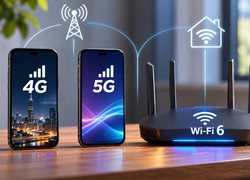
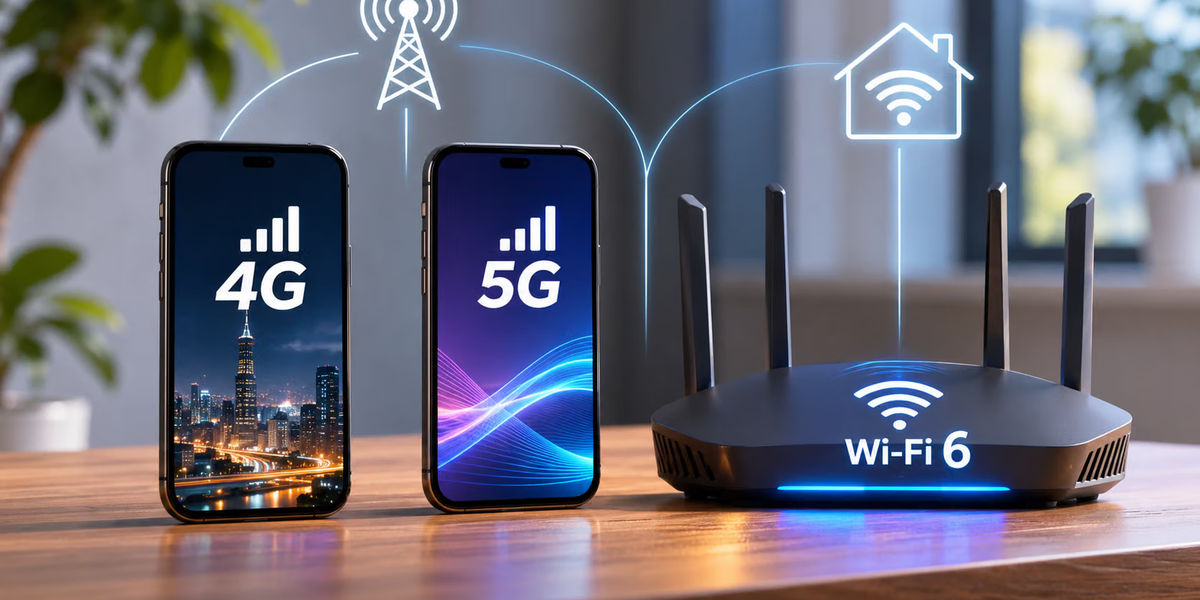
The simplest distinction is that 4G and 5G are cellular technologies designed to keep you connected across large geographic areas, while Wi-Fi 6 is primarily a local networking technology designed to connect devices within a relatively limited area, such as your home, office, airport, or café. The interesting part is what happens beyond that basic difference.
4G Changed What Mobile Internet Could Do
Before 4G became widespread, using the internet on a phone could feel noticeably different from using it on a computer connected to broadband. Mobile websites were often simplified, videos took longer to load, and many data-heavy activities were better saved for when you found Wi-Fi. 4G helped change that by delivering much faster mobile data and making smartphones genuinely capable internet devices.
The term 4G means fourth-generation cellular technology. In practice, much of the 4G experience people know today is based on LTE and LTE-Advanced networks. These networks were designed to carry data efficiently across cellular infrastructure, allowing phones and other devices to remain connected while users move between different areas.
That mobility is one of 4G’s biggest advantages. Your phone communicates with cellular base stations rather than relying on a router inside your house. As you travel, the network can hand your connection from one cell to another. This is why you can stream music while driving across a city or receive messages while sitting on a train without connecting to a new Wi-Fi network every few minutes.
For many everyday activities, good 4G remains more than capable. Browsing websites, using social media, streaming video, making video calls, navigating with maps, and sending files can all work comfortably over a strong 4G connection. The arrival of 5G did not suddenly make 4G useless.
What 5G Actually Changes
5G is the fifth generation of cellular networking, but calling it simply “faster 4G” misses much of the point. Higher speeds are certainly part of the improvement, but 5G was also designed to support lower latency, greater network capacity, and a much larger variety of connected devices and applications.
Speed is the improvement users are most likely to notice. Under the right conditions, 5G can deliver dramatically higher download rates than older cellular networks. A large file that might take several minutes to download over one connection could arrive much faster over a strong 5G connection.
But real-world 5G performance varies enormously. The 5G symbol on your phone does not guarantee a particular speed. Performance depends on the frequency band being used, your distance from network infrastructure, congestion, obstacles, your phone, and how the mobile operator has deployed its network.
This explains why one person can run a spectacular 5G speed test while another sees performance that feels little different from 4G. Both phones can truthfully display “5G” while using very different network conditions.
Not All 5G Is the Same
One of the most confusing things about 5G is that it can operate across different portions of the radio spectrum. Those frequencies involve trade-offs between speed, coverage, and the ability to pass through obstacles.
Lower-frequency 5G signals can travel relatively long distances and provide broad coverage, but their performance improvements over well-developed 4G networks may sometimes be modest. Mid-band 5G offers a useful balance between coverage and capacity and has become especially important for many 5G deployments.
At the other extreme is millimeter-wave, or mmWave, 5G. It can provide extremely high speeds and large amounts of capacity, but its range is much shorter and obstacles can interfere with the signal more easily. That makes it useful in certain dense locations, such as stadiums or busy urban areas, but less suitable for providing broad rural coverage.
So when someone says that 5G is incredibly fast, they aren’t necessarily wrong. When someone else says their 5G feels almost like 4G, they may not be wrong either.
The label alone doesn’t tell the whole story.
What Wi-Fi 6 Actually Is
Wi-Fi 6 is different because it isn’t a cellular generation. It’s the consumer-friendly name associated with the IEEE 802.11ax Wi-Fi standard.
Instead of connecting your phone directly to a mobile operator’s large-area cellular network, Wi-Fi usually connects your device to a nearby wireless access point or router. That router then connects to the internet through another connection, such as fiber, cable, or another broadband service.
This distinction is important because Wi-Fi isn’t usually your internet connection by itself. It’s the wireless link between your device and the local network.
If your home has a 1 Gbps fiber connection but an old or poorly positioned router, Wi-Fi can become the bottleneck. On the other hand, buying an advanced Wi-Fi 6 router won’t magically turn a slow broadband connection into a fast one. Your overall experience depends on both the local Wi-Fi connection and the internet service behind it.
Wi-Fi 6 Isn’t Just About Maximum Speed
Wi-Fi 6 can support higher theoretical performance than older Wi-Fi generations, but speed isn’t the only reason it matters. One of its biggest improvements is how efficiently a network can handle many connected devices.
Think about how many devices can now exist in an ordinary home. There may be several phones, laptops, tablets, smart televisions, speakers, watches, security cameras, game consoles, light bulbs, thermostats, and appliances all sharing the same wireless network.
Older Wi-Fi technologies can struggle as more devices compete for airtime. Wi-Fi 6 introduced and improved technologies designed to use available wireless capacity more efficiently, particularly in busy environments.
One important technology is OFDMA, or Orthogonal Frequency Division Multiple Access. Rather than treating every transmission as though one device needs the entire available communication opportunity, OFDMA allows wireless resources to be divided more efficiently among multiple devices.
Wi-Fi 6 also builds on multi-user MIMO technology, allowing compatible equipment to communicate with multiple devices more effectively. The result is a network designed not merely to produce impressive speed-test numbers but to perform better when many devices are active at once.
4G, 5G, and Wi-Fi 6 Use Radio Waves
Despite their differences, all three technologies share something fundamental: they transmit information wirelessly using radio-frequency electromagnetic waves.
Your phone converts digital information into signals that can be transmitted wirelessly. Network equipment receives those signals, processes them, and sends information back.
The difference lies in how the technologies use available spectrum, organize transmissions, manage users, and connect devices to larger networks.
Cellular systems are designed around large coverage areas divided into cells. Mobile operators manage extensive infrastructure that allows users to move across those cells.
Wi-Fi is designed primarily for local networking using spectrum available for technologies such as wireless local-area networks.
Both are wireless, but they’re solving different versions of the connectivity problem.
Why 5G Can Work Miles Away but Wi-Fi Doesn’t
Walk a short distance away from your house and your Wi-Fi connection will eventually disappear. Your 4G or 5G connection, however, may continue working across an entire city.
That’s largely because cellular networks are engineered for wide-area coverage.
Mobile operators deploy base stations across large geographic regions. Your phone connects to suitable network infrastructure as you move, and the network manages transitions between coverage areas.
Wi-Fi access points are generally designed to cover much smaller areas. Their transmission power, frequency use, network architecture, and deployment model are different.
This isn’t a weakness in Wi-Fi. It’s part of its purpose.
You generally don’t need your home router to provide coverage five kilometers away. You want it to provide a fast, stable connection throughout your home without interfering unnecessarily with everything around it.
Why Wi-Fi Can Still Be Faster Than 5G
Because 5G receives so much attention for speed, it’s easy to assume it must always be faster than Wi-Fi.
It isn’t.
A good Wi-Fi 6 network connected to a fast fiber connection can easily provide an excellent experience and may outperform the cellular connection available in the same location.
The reverse can also happen. If you’re using crowded public Wi-Fi connected to a slow internet connection, your phone’s 5G network may be dramatically faster.
There isn’t one universal winner.
Your real speed depends on the entire path between your device and whatever service you’re trying to reach. That includes the wireless connection, network congestion, the internet connection behind the access point, the service you’re accessing, and many other factors.
Latency Matters as Much as Speed
When internet providers advertise their services, they tend to focus on download speed. But another measurement, called latency, can be just as important.
Latency describes how long it takes information to travel through a system and for a response to begin returning. It’s often measured in milliseconds.
Imagine clicking a button in an online game. A high-bandwidth connection can move huge amounts of data, but if there’s a noticeable delay before the server receives your action, the game can still feel sluggish.
5G was designed with the potential for substantially lower latency than previous cellular generations, although actual end-to-end latency depends on far more than the radio connection alone.
Wi-Fi can also provide very low local-network latency under good conditions.
For video calls, cloud gaming, remote-control applications, and other interactive services, responsiveness can matter just as much as raw download speed.
What Happens When a Network Gets Crowded?
You’ve probably experienced a strong mobile signal at a concert or sporting event while your internet barely worked.
Signal strength and available network capacity aren’t the same thing.
A cellular tower has finite resources. If thousands of people in the same area are simultaneously uploading videos, sending photos, streaming, and refreshing social media, they’re competing for network capacity.
One goal of 5G is to handle dense environments and high device counts more effectively.
Wi-Fi 6 addresses a similar problem on a smaller scale. Its efficiency improvements become particularly useful in crowded homes, offices, airports, schools, and other places where many devices share the same wireless environment.
In both cases, newer technology isn’t simply about making one person’s connection faster. It’s also about managing many simultaneous connections more efficiently.
Why Your Phone Keeps Switching Between Them
Modern smartphones constantly evaluate available connections.
When you’re home, your phone may prefer your known Wi-Fi network. When you leave, the Wi-Fi signal weakens until the phone switches to the cellular network. Depending on coverage, that might be 5G or 4G.
When you enter another trusted Wi-Fi environment, the phone may switch again.
Most of this happens automatically because the device and operating system are designed to hide the complexity from you.
From your perspective, you’re simply “online.”
Behind the scenes, your phone may use several completely different networking technologies over the course of a single day.
Does 5G Replace Wi-Fi?
For most people, not completely.
5G can certainly serve as a home internet connection. Fixed wireless access services use cellular networks to provide broadband to homes and businesses, and in some locations this can be an attractive alternative to cable or other wired services.
But Wi-Fi remains extremely useful for connecting devices inside buildings.
Even a home that receives its internet connection through 5G may still use Wi-Fi to distribute that connection to televisions, laptops, tablets, printers, and other devices.
In that setup, 5G provides the connection from the home to the wider internet, while Wi-Fi provides the connection between devices and the home router.
The technologies aren’t necessarily competitors. They can work together.
Does Wi-Fi 6 Mean You Have Faster Internet?
Not automatically.
Suppose your internet plan provides 100 Mbps.
You replace an old router with a high-performance Wi-Fi 6 model capable of much higher local wireless speeds.
Your Wi-Fi connection inside the house may become faster or more reliable, particularly with many devices connected. But when accessing the wider internet, you’re still limited by the speed of your broadband connection and other bottlenecks along the path.
It’s like replacing a narrow driveway with a six-lane road when the highway at the end still has a 100 km/h speed limit.
The local part of the journey improved.
The entire journey didn’t necessarily become proportionally faster.
Which One Is Better for Battery Life?
Wireless networking consumes energy, and newer technologies include features intended to improve efficiency.
Wi-Fi 6 introduced mechanisms such as Target Wake Time, which can allow compatible devices to coordinate when they wake up to communicate rather than remaining unnecessarily active.
This can be especially useful for low-power connected devices.
Cellular battery consumption is more complicated because it depends heavily on signal conditions, modem design, network configuration, and how the device is being used. A phone struggling to maintain a weak cellular connection may consume more power than it would under strong coverage.
So there’s no useful universal rule that 4G, 5G, or Wi-Fi 6 always uses the least battery.
Real-world conditions matter.
What About Security?
All three technologies include security mechanisms, but security depends heavily on configuration and implementation.
Modern cellular networks authenticate devices and encrypt radio communication between the device and network infrastructure. Wi-Fi 6 networks can use modern Wi-Fi security standards such as WPA3 when supported and properly configured.
However, connecting to a newer wireless technology doesn’t automatically make everything you do online safe.
A malicious website is still malicious over 5G. A phishing message is still dangerous over Wi-Fi 6. An outdated device can still contain vulnerabilities regardless of the network.
Wireless security is one layer of a much larger security picture.
So Which Should You Use?
In most cases, you don’t need to choose one technology permanently.
At home or in the office, a trusted Wi-Fi 6 network connected to fast broadband can provide excellent performance without consuming your mobile data allowance.
When you’re moving around, 5G offers the combination of speed, capacity, and mobility that modern cellular networks were designed to provide.
If 5G coverage is weak or unavailable, 4G remains a reliable option in many places and is still perfectly capable of handling most everyday internet activities.
Your devices are already designed to move between these technologies depending on availability.
The Real Difference in Simple Terms
4G is a mature cellular technology that made fast mobile internet practical on a massive scale. It provides wide-area coverage and remains sufficient for most everyday smartphone activities.
5G is the next cellular generation. It can provide much higher speeds, lower latency, greater capacity, and better support for large numbers of connected devices, although actual performance varies significantly depending on the network and location.
Wi-Fi 6 is a newer generation of local Wi-Fi networking. It is designed to provide fast and efficient wireless connectivity within homes, offices, and other relatively small areas, particularly when many devices are competing for access.
So the real comparison isn’t simply 4G versus 5G versus Wi-Fi 6.
It’s wide-area mobile connectivity versus newer wide-area mobile connectivity versus high-performance local wireless networking.
All three ultimately serve the same basic goal: getting information from one place to another without requiring a cable between your device and the nearest network connection.
They just solve that problem in very different ways.