How the Internet Actually Works (Explained Simply)
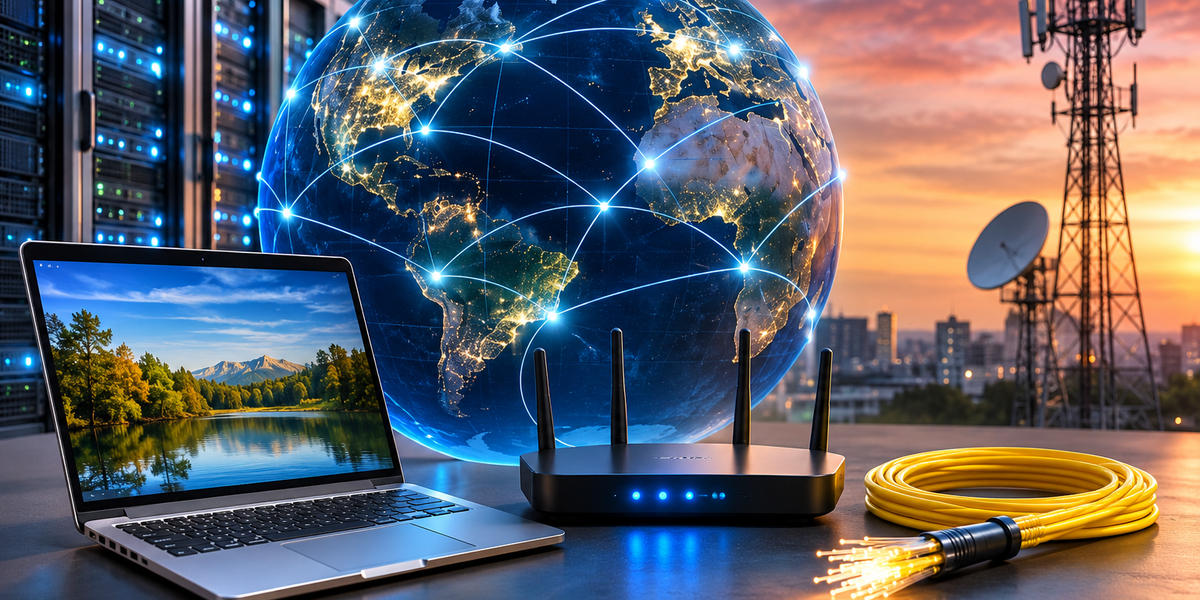
You use the internet dozens, maybe hundreds, of times a day. You open Instagram, send a message, Google a question, stream a show, check your bank account, or order dinner. Most of the time, something appears on your screen within seconds.
It feels almost instant. But behind that simple tap or click is a surprisingly elaborate system involving your device, routers, internet service providers, servers, undersea cables, data centers, and a set of rules that allow billions of machines to communicate with one another.
The good news is that you don’t need a computer science degree to understand it. At its core, the internet is simply a huge network of computers sending information back and forth.
Here’s how it actually works.
The Internet Is Basically a Network of Networks
The word “internet” comes from the idea of interconnected networks. Instead of one enormous computer system controlled from a single location, the internet consists of millions of smaller networks connected to one another.
Your home Wi-Fi is one network. Your workplace may have another. Universities, governments, telecommunications companies, cloud providers, and data centers operate their own networks too.
The internet connects all of them.
Think of it a little like the world’s road system. Your driveway connects to a local street. That street connects to a larger road, which may connect to a highway. Highways eventually connect cities and countries.
You don’t need a single road that goes directly from your house to every destination. You simply need a system of connected roads that can get you there.
The internet works in much the same way, except what travels along those routes isn’t cars. It’s data.
What Happens When You Open a Website?
Imagine you type example.com into your browser.
Your computer doesn’t immediately “know” where that website is. It has to figure out which computer on the internet stores the information you’re asking for.
The process happens remarkably quickly.
First, your browser needs to find the website’s address. Then your request travels across the internet to the server hosting that website. The server receives your request, finds the appropriate information, and sends data back to your device. Your browser then turns that data into the page you see on your screen.
All of this can happen in a fraction of a second.
But there’s an important question: how does your computer know where to send the request?
That’s where IP addresses come in.
Every Device Needs an Address
Computers connected to networks communicate using numerical addresses called IP addresses.
You can think of an IP address as something similar to a postal address. If you want to send a package to someone, the postal service needs to know where that person lives. Similarly, when information travels across the internet, networks need to know where it should go.
There are two major versions of internet addresses: IPv4 and IPv6.
An IPv4 address might look something like:
192.0.2.1
IPv6 was introduced partly because the internet grew so dramatically that the available pool of IPv4 addresses became insufficient. IPv6 provides an enormously larger number of possible addresses.
Fortunately, you don’t normally have to remember any of these numbers.
Instead, we use domain names.
DNS Is the Internet’s Address Book
Imagine having to remember a long numerical IP address every time you wanted to visit a website. The internet would be considerably less convenient.
That’s why the Domain Name System, or DNS, exists.
DNS translates human-friendly domain names into the numerical addresses computers use.
When you type a domain name into your browser, your device effectively asks, “What IP address belongs to this website?”
A DNS resolver helps find the answer. Once the correct address is located, your browser knows where to send its request.
It’s similar to saving someone’s name in your phone. You tap “Mom” instead of memorizing and typing her phone number every time you call.
DNS performs a similar translation for the internet.
Your Request Doesn’t Usually Travel Directly to the Website
Once your device knows where the website lives, it needs to reach it.
This is where routers become important.
A router helps direct data between networks. Instead of your laptop establishing one magical direct connection to a server somewhere across the world, information typically passes through multiple pieces of networking equipment along the way.
Your request might travel from your laptop to your home router, then through your internet service provider’s network, through other networks, and eventually to the network containing the server you’re trying to reach.
Each router helps determine where the data should go next.
Again, roads provide a useful comparison. You don’t need to know every turn between Munich and Paris before beginning the trip. At different points along the journey, signs and navigation systems tell you where to go next.
Internet routers perform a much faster version of that job for data.
The Internet Is Much More Physical Than It Feels
Because we talk about “the cloud” and wireless connections, it’s easy to imagine the internet as something floating invisibly around us.
It isn’t.
The internet depends on an enormous amount of physical infrastructure.
There are routers, switches, data centers, cell towers, fiber-optic cables, and huge networks of cables running beneath cities and across countries.
There are even cables running across the ocean floor.
A large share of international internet traffic travels through submarine fiber-optic cables connecting continents. When you access information hosted in another country, your data may literally cross an ocean through a cable sitting on the seabed.
Wi-Fi doesn’t eliminate those cables either.
Wi-Fi simply handles the wireless part of the connection between your device and a nearby access point or router. From there, the connection usually joins wired infrastructure.
So even when your phone appears completely wireless, much of its internet journey isn’t.
Information Travels in Packets
Here’s where things get especially clever.
When information is sent over the internet, it isn’t necessarily shipped as one giant block. Data is broken into smaller units called packets.
Imagine mailing a 1,000-page book, but instead of putting the entire book into one enormous package, you divide it into many smaller envelopes. Each envelope contains information that helps the delivery system understand where it needs to go.
Internet data works somewhat like that.
Packets travel through networks toward their destination. Depending on network conditions and the technologies involved, packets belonging to the same communication may not always follow exactly the same route.
At the receiving end, the necessary information is processed so the application can reconstruct what you requested.
This packet-based design is one of the reasons the internet can handle such an extraordinary amount of traffic efficiently.
TCP/IP Gives Computers the Rules for Communicating
Connecting billions of devices would be chaos if every computer communicated in a completely different way.
That’s why the internet relies on standardized protocols.
A protocol is essentially an agreed set of rules for communication.
Two of the foundational technologies are IP and TCP.
IP, or Internet Protocol, deals with addressing and routing packets toward their destinations.
TCP, or Transmission Control Protocol, provides reliable, ordered delivery for applications that need it. It can detect missing data and arrange for it to be retransmitted.
An easy analogy is sending numbered pages of a document through the mail. IP helps get the envelopes to the right address. TCP helps make sure the pages arrive reliably and can be put back into the correct order.
Not everything on the internet uses TCP, however. Some applications use UDP, another transport protocol that prioritizes speed and simplicity rather than TCP-style reliability. Modern web traffic can also use newer technologies such as QUIC.
The important point is that internet communication follows shared rules. Those rules allow completely different devices and networks to understand one another.
So What Is a Server?
A server is simply a computer or software system that provides something to other computers.
When you open a website, your device acts as a client requesting information. A server receives that request and responds with the appropriate resources.
Servers can provide websites, files, email, videos, application data, authentication services, and countless other things.
Some companies operate enormous data centers containing thousands of physical machines. Others rent computing resources from cloud providers rather than maintaining their own hardware.
This is where “the cloud” comes in.
The cloud isn’t a mysterious place where data somehow exists without hardware. It generally means you’re using computing resources running on remote infrastructure rather than relying entirely on your own device.
In other words, the cloud is still someone else’s computers.
What Happens When You Stream a Video?
Streaming demonstrates how many pieces of the internet work together.
When you press play, your device requests video data from a service. The service begins sending the necessary information over the network in chunks.
Your device temporarily stores some upcoming content in a buffer so the video can continue playing even if the connection speed fluctuates slightly.
Streaming platforms also frequently use content delivery networks, or CDNs.
Instead of making every viewer retrieve a popular video from one distant data center, a CDN can distribute or cache content across servers in many locations. Your device can then receive content from infrastructure closer to you.
That reduces delays and helps services handle huge numbers of users simultaneously.
It’s one reason someone in Germany and someone in Australia can watch the same popular video without every byte necessarily coming from the exact same physical server.
What About Wi-Fi and Mobile Data?
Wi-Fi and mobile data are ways of accessing the internet, not separate versions of the internet itself.
With Wi-Fi, your phone or laptop communicates wirelessly with a nearby access point or router. That equipment connects you to an internet service provider and, from there, the wider internet.
Mobile data works differently at the first stage. Your phone communicates with a cellular network through nearby radio infrastructure. The mobile carrier’s network then connects your traffic to other networks and internet services.
The beginning of the journey is different, but both eventually connect you to the broader internet.
How Does HTTPS Keep Your Connection Safer?
You’ve probably noticed that most modern websites begin with https.
HTTPS is the secure version of HTTP, the protocol commonly used for communication between web browsers and websites.
With HTTPS, TLS encryption protects data while it travels between your browser and the website’s server. Instead of sending everything as easily readable information across the connection, cryptography makes intercepted traffic far harder to understand.
HTTPS also helps your browser verify that it is communicating with the intended website through digital certificates.
That doesn’t mean an HTTPS website is automatically trustworthy. A scam website can also use HTTPS.
It means the connection between you and that site is encrypted and authenticated at the transport layer. Whether you should trust the person or company operating the site is a different question.
What Actually Happens When You Google Something?
Suppose you type “best pasta recipe” into a search engine.
Your browser first needs to connect to the search engine’s infrastructure. It sends your search query across the internet. The search engine processes the request using its own systems and indexes, determines which results it considers relevant, and sends a response back.
Your browser receives that response and displays the results.
When you click one, the process begins again for the selected website: resolve where it lives, establish a connection, send a request, receive data, and display it.
What feels like one simple search can involve communication among numerous systems in a matter of seconds.
Is the Internet the Same Thing as the Web?
Not quite.
People often use “internet” and “web” interchangeably, but technically they aren’t the same thing.
The internet is the underlying global network infrastructure that allows computers to communicate.
The World Wide Web is one service that runs on top of that infrastructure, primarily involving websites and web applications accessed through browsers.
Email uses the internet too, but email isn’t the web. Online gaming, file transfers, messaging apps, and many other services can also use the internet without being part of the traditional World Wide Web.
Think of the internet as the road system and the web as one type of traffic traveling on it.
Who Owns the Internet?
There isn’t one person, government, or company that owns the entire internet.
Different organizations own different pieces of it.
Telecommunications companies operate network infrastructure. Technology companies run data centers and cloud platforms. Governments regulate telecommunications within their jurisdictions. Standards organizations help develop technical rules. Businesses own servers and services. Individuals own devices and private networks.
These independent systems cooperate using common technical standards.
That decentralized structure is one of the internet’s defining characteristics. There isn’t one giant “internet computer” somewhere with an off switch for the entire world.
Individual services, networks, or even countries can experience outages or restrictions, but the global internet is made up of many interconnected parts.
The Whole Journey in About 10 Seconds
So imagine you pick up your phone and open a website.
Your phone connects through Wi-Fi or a mobile network. DNS helps determine the website’s internet address. Your device establishes a connection and sends a request. The request is divided into data that can travel through networks. Routers move that traffic toward the destination. A server receives the request and sends information back. Your browser processes the response and turns HTML, CSS, JavaScript, images, and other resources into the page you see.
Meanwhile, security protocols may be encrypting the connection, a CDN may be serving content from a nearby location, and dozens of additional requests may be happening in the background.
And somehow, all of that often happens before you’ve had time to wonder why the page isn’t loading faster.
The Internet Isn’t Magic—It Just Feels Like It
The internet can seem impossibly complicated because, at a global level, it is. Billions of devices, enormous data centers, thousands of networks, satellites, cellular systems, routers, and cables are constantly exchanging information.
But the basic idea is surprisingly simple.
Your device has information it wants to send or receive. It needs an address. Networks find a route to that address. Information travels in packets according to agreed rules. Another computer responds. Your device turns the response into something useful.
That’s the internet.
A gigantic worldwide conversation between computers, happening one packet at a time.