How a Smartphone Actually Works Inside
A smartphone is one of those objects we use so constantly that it’s easy to forget how extraordinary it actually is.
You touch a glass screen and a keyboard appears. You tap an icon and a video begins playing. Your phone recognizes your face, connects to a cellular network, finds your location using satellites, takes photographs, processes billions of calculations, communicates with wireless headphones, and downloads information from computers thousands of kilometers away.
And all of this happens inside something small enough to fit in your pocket.
A modern smartphone isn’t one machine. It’s dozens of specialized systems working together at extraordinary speed. The processor handles calculations, memory holds information, radios communicate with networks, sensors measure the world around you, and software coordinates everything.
You don’t need an engineering degree to understand what’s happening inside. Once you separate a smartphone into its major components, the whole thing becomes much easier to understand.
The Smartphone Is Basically a Tiny Computer
At its core, a smartphone works according to many of the same principles as a laptop or desktop computer.
It has a processor that performs calculations, memory that holds information temporarily, storage that keeps files long term, an operating system that manages the hardware, and applications that perform specific tasks.
The major difference is integration.
A desktop computer has plenty of physical space. Its processor, graphics card, memory, storage, networking hardware, and power supply can exist as relatively large separate components.
A smartphone has almost no room to waste.
Manufacturers therefore combine many functions into highly integrated chips and carefully arrange components inside an extremely compact enclosure.
That’s one reason opening a modern smartphone reveals something very different from opening a desktop PC.
The System on a Chip Is the Brain of the Phone
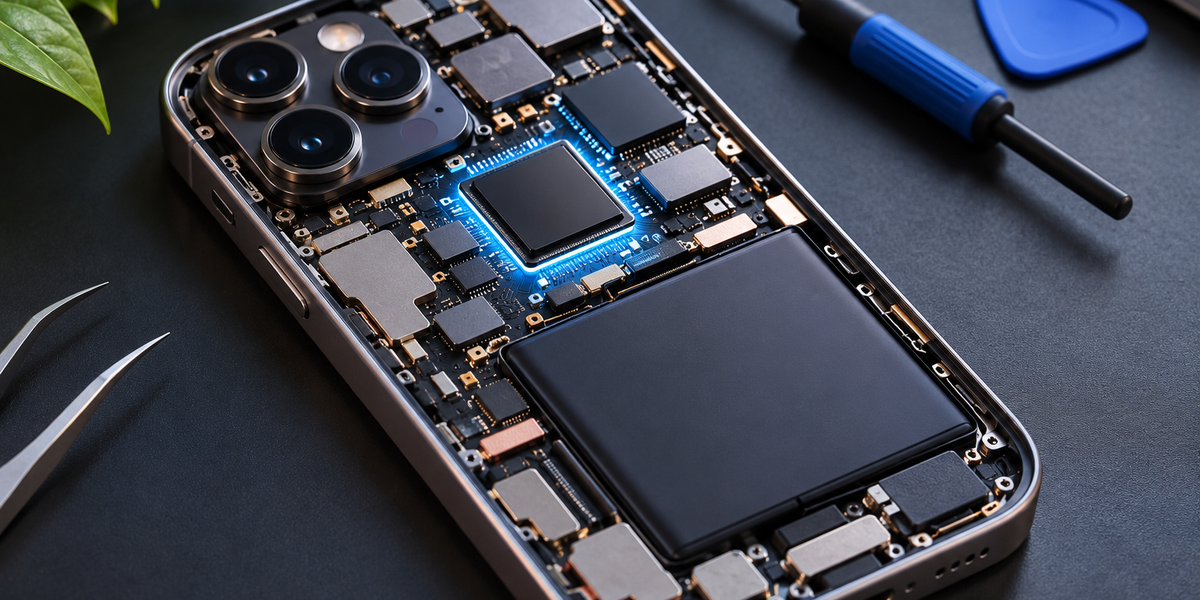
One of the most important components inside a smartphone is the system on a chip, usually shortened to SoC.
Instead of having separate large chips for every major computing function, an SoC combines several important components into a single package.
The exact design varies, but an SoC can contain the central processing unit, graphics processor, AI-processing hardware, image-processing hardware, memory controllers, security components, and other specialized processors.
You can think of it as an entire miniature computing department packed onto one piece of silicon.
This level of integration helps smartphones use less space and energy while allowing different parts of the system to communicate extremely quickly.
The CPU Handles General Computing
Inside the SoC is the central processing unit, or CPU.
The CPU executes instructions.
When an app needs to calculate something, load part of its interface, process information, or make decisions according to its code, the CPU handles much of that work.
Modern smartphone CPUs contain multiple processing cores.
Not every core is necessarily designed for the same purpose. Some can be optimized for high performance, while others are designed to handle lighter tasks using less energy.
This matters because your phone doesn’t need maximum processing power every second.
Checking email in the background doesn’t require the same performance as editing high-resolution video or playing a demanding game.
By distributing work intelligently, the phone can balance speed with battery life.
The GPU Draws What You See
The graphics processing unit, or GPU, specializes in calculations that can be performed efficiently in parallel.
Originally, GPUs became important primarily for rendering graphics. They calculate the information needed to display animations, games, videos, interfaces, and other visual elements.
Every time you scroll smoothly through an app, rotate a 3D object, or play a visually complex game, the GPU is doing significant work.
Modern GPUs can also contribute to other computational tasks because their architecture is well suited to processing many similar calculations simultaneously.
The CPU and GPU therefore work together.
The CPU is a flexible general-purpose processor.
The GPU is exceptionally good at particular kinds of parallel work.
Smartphones Now Have Dedicated AI Hardware
Modern phones increasingly include specialized hardware designed for machine-learning and AI workloads.
Different manufacturers use different names for these components, but you may hear terms such as neural processing unit, neural engine, or AI accelerator.
These processors can handle certain machine-learning calculations more efficiently than a general-purpose CPU.
That matters because AI is increasingly used throughout the smartphone.
Your camera might use machine learning to recognize scenes, improve photographs, separate a person from the background, or reduce noise.
Your keyboard may use it for predictive text.
Voice features may use it for speech recognition.
Photo apps can use it to identify people, animals, objects, or text.
Some AI tasks can also run directly on the device instead of sending everything to a remote server.
Specialized hardware makes those operations faster and more energy-efficient.
RAM Is the Phone’s Short-Term Memory
Your smartphone also contains RAM, or random-access memory.
RAM stores information that the phone needs quickly while it’s working.
Imagine you’re switching between a messaging app, browser, map, and camera.
The phone can keep relevant information from those applications in RAM so it doesn’t need to reload everything from storage each time you return.
More RAM generally allows the system to keep more information readily available, although operating-system design and memory management matter enormously too.
RAM is temporary.
When power is removed, the information stored there disappears.
That’s very different from the phone’s long-term storage.
Storage Keeps Your Information
Your photos, apps, videos, downloaded files, messages, and operating system need somewhere to remain even when the phone is turned off.
That’s what internal storage provides.
Smartphones generally use flash-based storage.
Unlike RAM, flash memory retains information without continuous power.
When you save a photograph, the image data is written to storage. When you install an app, its files are stored there. When you restart your phone, the operating system itself is loaded from storage.
Storage is slower than RAM but designed for long-term retention.
That’s why your phone uses both.
Storage is the filing cabinet.
RAM is the workspace on your desk.
The Motherboard Connects Everything
The phone’s major electronic components are mounted on or connected through compact circuit boards.
These boards contain tiny pathways that allow electrical signals and data to move between components.
The design is incredibly dense.
Manufacturers have to fit processors, memory, wireless hardware, power-management systems, connectors, and countless smaller electronic components into a very limited space.
Every millimeter matters.
That’s also why seemingly simple design changes—such as adding a larger camera sensor or battery—can affect the layout of the entire device.
Inside a smartphone, space is one of the most valuable resources.
The Battery Powers Everything
Most modern smartphones use rechargeable lithium-ion or lithium-polymer batteries.
The battery stores energy chemically and converts it into electrical energy when the phone needs power.
Different components consume very different amounts of energy.
The display can be a major power user. So can the processor during demanding workloads. Cellular communication can consume significant energy, particularly when signal conditions are poor.
Your phone constantly manages this energy consumption.
It may lower processor speeds, reduce screen brightness, pause background activity, or put certain components into low-power states when they aren’t needed.
Battery management isn’t simply about having a large battery.
It’s about using the available energy intelligently.
The Phone Needs Power-Management Hardware
The battery doesn’t simply connect directly to every component and provide the same power continuously.
Smartphones contain sophisticated power-management circuitry that controls how electricity is distributed.
Different components may require different voltages and amounts of power.
Power-management hardware helps deliver what each part needs while minimizing wasted energy.
It also plays an important role in charging.
When you connect your phone to a charger, the device communicates with charging hardware and carefully controls the amount of power entering the battery.
Fast charging can deliver large amounts of energy, which makes thermal and battery management particularly important.
The Screen Is More Than a Piece of Glass
What we casually call “the screen” is actually a collection of layers and technologies.
The outer glass provides a durable surface.
Underneath is the display panel that produces the image.
Many modern smartphones use OLED displays, where individual pixels produce their own light. Other display technologies work differently, but the basic goal is the same: control millions of tiny pixels to create the image you see.
Each pixel contains components responsible for producing color.
By controlling the brightness of huge numbers of pixels independently, the phone can create photographs, text, video, animations, and everything else displayed on the screen.
And this happens many times every second.
How Does the Touchscreen Know Where Your Finger Is?
The display also needs to detect touch.
Modern smartphones commonly use capacitive touchscreens.
The screen contains a transparent conductive layer that creates an electrostatic field.
Your finger is electrically conductive.
When it touches or approaches the screen, it changes the electrical properties at that location.
The touchscreen controller detects those changes and calculates where the contact occurred.
It can track multiple touches simultaneously, which is why gestures such as pinch-to-zoom work.
The phone then sends that touch information to the operating system.
Software determines what the touch means.
A tap might open an app.
A swipe might scroll a page.
Two fingers moving apart might enlarge an image.
The screen detects the physical interaction.
Software gives it meaning.
Your Camera Is a Tiny Imaging System
A smartphone camera isn’t simply a hole with a sensor behind it.
It contains several components working together.
Light enters through the camera lens and is focused onto an image sensor.
The sensor contains millions of photosensitive elements that measure incoming light.
That information is converted into digital data.
But the raw sensor data isn’t usually the final photograph you see.
Modern smartphones perform enormous amounts of computational photography after—or even during—the capture.
Why Smartphone Photos Look Better Than the Tiny Camera Suggests
The physical size of a smartphone camera creates limitations.
A professional camera can use a much larger lens and sensor.
A phone has to fit its camera into a device only a few millimeters thick.
Software helps compensate.
When you press the shutter button, your phone may capture multiple images rather than one.
It can combine information from those frames to improve dynamic range, reduce noise, sharpen details, adjust colors, brighten shadows, protect highlights, and stabilize the result.
The phone’s image signal processor and other computational hardware can perform these operations extremely quickly.
Machine learning can contribute too.
The final photograph is therefore partly optical and partly computational.
Your phone didn’t merely record what the camera sensor saw.
It processed that information into the image you ultimately receive.
How Face Recognition Works
Some smartphones include dedicated hardware for facial authentication.
Instead of relying only on a normal photograph, secure facial-recognition systems can use depth information and other sensors to create a more detailed representation of the face.
When you set up facial authentication, the phone creates a mathematical representation based on your facial features.
When you later try to unlock the device, new sensor data is compared with that stored representation.
The system decides whether the match is sufficiently strong.
Sensitive biometric information can be protected using dedicated security hardware rather than being treated like an ordinary photograph stored in your gallery.
The exact implementation differs significantly between devices.
Your Fingerprint Isn’t Stored as a Photograph Either
Fingerprint sensors work according to a similar principle.
Depending on the phone, the sensor may use capacitive, optical, or ultrasonic technology to capture characteristics of your fingerprint.
The device creates a mathematical representation that can later be used for comparison.
When you touch the sensor, the new reading is compared against the enrolled fingerprint information.
If the match satisfies the system’s security requirements, authentication succeeds.
Again, the phone doesn’t need to ask a remote server every time you unlock it.
Much of this security process can happen locally.
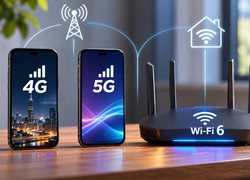
How Your Phone Connects to 4G and 5G
Your smartphone contains cellular communication hardware, including a modem and radio-frequency components.
The modem handles communication with cellular networks.
When your phone connects to 4G or 5G, it communicates wirelessly with nearby cellular infrastructure using radio waves.
Antennas inside the phone transmit and receive those signals.
The modem converts between the digital information used by the phone and the signals required for wireless communication.
As you move, the network can transfer your connection between different cells.
This allows you to remain online while traveling without manually connecting to a new network every few minutes.
Your Phone Contains Multiple Antennas
A modern smartphone doesn’t have one simple antenna doing everything.
It may contain several antennas designed to support different frequency ranges and wireless technologies.
Cellular networking, Wi-Fi, Bluetooth, GPS, NFC, and other systems all require wireless communication.
Designing antennas inside a thin metal-and-glass device is difficult.
Your hand can even affect radio performance depending on how you hold the phone.
Manufacturers therefore carefully position antennas around the device and use sophisticated radio systems to maintain reliable communication.
Wi-Fi Works Differently From Cellular
When you’re connected to Wi-Fi, your phone communicates with a nearby wireless access point or router instead of directly using the mobile operator’s cellular network for that local wireless link.
The router then connects your device to a broader network and usually the internet.
Wi-Fi typically works over much shorter distances than cellular technology but can provide extremely fast local connections.
Your phone constantly evaluates available connectivity.
As you leave home and your Wi-Fi signal disappears, it can switch to cellular data.
When you return, it can reconnect to your known Wi-Fi network.
Most of this happens without you thinking about it.
Bluetooth Handles Short-Range Connections
Bluetooth is another radio technology inside your phone.
It’s designed primarily for relatively short-range communication between devices.
Wireless headphones, smartwatches, fitness trackers, keyboards, cars, and countless accessories use Bluetooth.
Bluetooth is particularly useful because it can operate with relatively low power.
That’s important for small devices such as earbuds and watches that have tiny batteries.
When you pair Bluetooth headphones with your phone, the devices establish a connection and exchange data wirelessly.
Your music becomes digital information transmitted through radio signals, reconstructed by the headphones, and converted into sound.
GPS Doesn’t Work the Way Many People Think
People often say their phone “sends its location to GPS.”
That’s not quite how basic satellite positioning works.
Navigation satellites transmit extremely precise timing and positioning information.
Your phone receives signals from multiple satellites and uses the differences in signal timing to calculate its position.
The satellites don’t need to know where your phone is for your phone to determine its location.
Modern smartphones can also combine satellite positioning with information from cellular networks, Wi-Fi, motion sensors, and other sources to improve location speed and accuracy.
That’s why your phone can often determine your location even in complicated urban environments where satellite reception isn’t perfect.
Smartphones Are Packed With Sensors
Your phone is constantly measuring its environment.
An accelerometer detects changes in motion and acceleration.
A gyroscope helps measure rotation and orientation.
A proximity sensor can detect when the phone is close to your face during a call.
Ambient-light sensors help adjust screen brightness.
A magnetometer can contribute compass information.
Some devices include barometers that measure atmospheric pressure.
Together, these sensors allow the phone to understand aspects of its movement and surroundings.
When you rotate the phone and the screen changes orientation, sensors made that possible.
When a fitness app counts movement, sensors are involved.
When navigation software determines which direction you’re facing, multiple sensors may contribute.
The Operating System Coordinates Everything
Hardware alone wouldn’t make a useful smartphone.
The operating system—such as Android or iOS—coordinates the device.
It manages applications, memory, storage, networking, security, notifications, permissions, power consumption, and hardware access.
Apps generally don’t communicate directly with every piece of hardware however they want.
Instead, they interact with services and interfaces provided by the operating system.
For example, a camera app requests access to camera functionality.
A navigation app requests location information.
A messaging app requests network access.
The operating system sits between applications and much of the underlying hardware.
This creates consistency and provides important security controls.
What Happens When You Tap an App?
Imagine tapping a messaging app.
The touchscreen detects your finger.
The touch controller reports the location of the touch.
The operating system determines which interface element you touched.
It recognizes that you selected the messaging application.
The system loads or activates the app.
Relevant information is moved into RAM.
The CPU executes the application’s instructions.
The GPU helps render the interface.
The app may request new information from an online server.
Your Wi-Fi or cellular hardware sends that request.
A remote server responds.
The phone receives the data.
The application processes it.
The GPU renders the updated interface.
You see your messages.
What feels like one tap triggered an enormous chain of events.
And much of it happened in a fraction of a second.
What Happens When You Send a Photo?
Now imagine sending a photograph to a friend.
You tap the camera button.
The camera system captures light.
The image sensor converts that light into digital information.
The phone processes the image.
The file is stored.
You select it in the messaging app.
The application may compress or resize it.
The phone establishes communication with the service’s servers through Wi-Fi or cellular networking.
The photo data is broken into information that can travel across networks.
It passes through routers and internet infrastructure until it reaches the service.
Your friend’s phone eventually retrieves the information and reconstructs the image.
To you, the entire experience is:
Take photo.
Tap send.
Done.
That’s what good technology does.
It hides complexity.
Why Phones Get Hot
All of these calculations require energy.
And electronic systems aren’t perfectly efficient.
Some of that energy becomes heat.
Demanding activities such as gaming, video recording, fast charging, navigation, or intensive AI processing can cause the phone’s components to generate significant heat.
Smartphones have limited space for cooling compared with desktop computers.
They therefore rely on materials and internal structures that spread heat through the device.
If temperatures become too high, the operating system may reduce processor performance.
This is called thermal throttling.
Your phone becomes slower temporarily because protecting the hardware and battery is more important than maintaining maximum speed.
Why Smartphones Don’t Have Fans
Desktop computers often use fans to move heat away from processors.
Most smartphones don’t.
Fans require space, consume power, create noise, and need openings for airflow.
Instead, phones typically rely on passive cooling.
Heat spreads through internal materials and eventually dissipates through the phone’s body.
This is another reason smartphone engineering is so difficult.
Manufacturers are trying to put increasingly powerful processors inside thin, sealed devices without allowing them to become uncomfortably hot.
Why Water Resistance Is Complicated
Phones contain electronics that generally don’t respond well to water.
Manufacturers improve water resistance by using seals, adhesives, gaskets, membranes, and careful enclosure design.
Ports, speakers, microphones, buttons, and SIM trays create particular challenges because they need some interaction with the outside world.
Water resistance also isn’t necessarily permanent.
Seals can degrade with age, impact, heat, repairs, and normal wear.
A phone that meets a particular water-resistance rating under controlled laboratory conditions isn’t automatically invulnerable to every real-world encounter with liquid.
Why Repairing Modern Phones Can Be Difficult
The same engineering choices that make smartphones thin and compact can make them difficult to repair.
Components are tightly packed.
Batteries may be attached with strong adhesives.
Screens contain several integrated layers.
Some parts may be paired with software or require calibration.
Water-resistant seals may need to be replaced after opening the device.
A smartphone isn’t designed like a traditional desktop computer where you can easily remove one component and install another.
Everything is optimized around limited space.
Repairability and compact design can therefore pull engineers in opposite directions.
Why Your Phone Can Do So Much With a Small Battery
A smartphone battery contains far less energy than many larger electronic devices.
Yet a phone can perform billions of calculations, maintain wireless connections, illuminate a high-resolution screen, process photographs, track its location, and run applications for hours.
The secret is efficiency.
Smartphone processors are designed around strict power constraints.
Components can enter low-power states when they’re not needed.
The operating system limits background activity.
Specialized processors perform certain tasks more efficiently than the CPU could.
The display can dynamically change its behavior.
Wireless hardware adjusts depending on conditions.
Thousands of tiny optimizations collectively extend battery life.
A Smartphone Is Really a System of Specialists
The easiest way to understand a smartphone is to stop imagining it as one computer doing everything.
Think of it as a team.
The CPU handles general instructions.
The GPU specializes in graphics and parallel calculations.
AI hardware handles certain machine-learning workloads.
The image processor helps turn camera data into photographs.
RAM provides fast temporary memory.
Storage keeps information long term.
The modem manages cellular communication.
Wireless chips handle Wi-Fi and Bluetooth.
Sensors measure movement and the environment.
Security hardware protects sensitive information.
The battery provides energy.
Power-management systems distribute that energy.
The operating system coordinates the entire operation.
Each component has a specialty.
The magic comes from how quickly they work together.
The Simple Version
Inside your smartphone is an extraordinary collection of processors, memory, storage, radios, antennas, sensors, cameras, security hardware, power systems, and software.
When you tap the screen, the touchscreen detects your finger and sends information to the operating system. The processor executes instructions. Memory provides information. The graphics processor creates what you see. Wireless hardware communicates with networks. Sensors provide information about the physical world.
All of those systems continuously exchange information.
And they do it so quickly that you rarely notice any of them.
You simply tap.
Swipe.
Take a picture.
Send a message.
Open a map.
Watch a video.
Behind each of those ordinary actions are millions or billions of tiny electronic operations happening inside a device you carry around without thinking twice.
That’s perhaps the most impressive thing about a smartphone.
Not that the technology inside is complicated.
It’s that so much complicated technology works together well enough to feel simple.